
The Enterprise Value Engine
How your Enterprise Value and Valuation Score are calculated, and how playbooks turn Potential into real value.
Due diligence tells a buyer whether your numbers hold up. The Enterprise Value Engine answers a different question: what is the company worth right now, and what specific, gradable actions would make it worth more before you ever sit down with a buyer.
It's the second half of the dashboard, right below your onboarding checklist — a live Enterprise Value figure, the Potential still on the table, your current Valuation Score and zone, and a tracker for how many playbooks you've actually gotten a reviewer to sign off on.
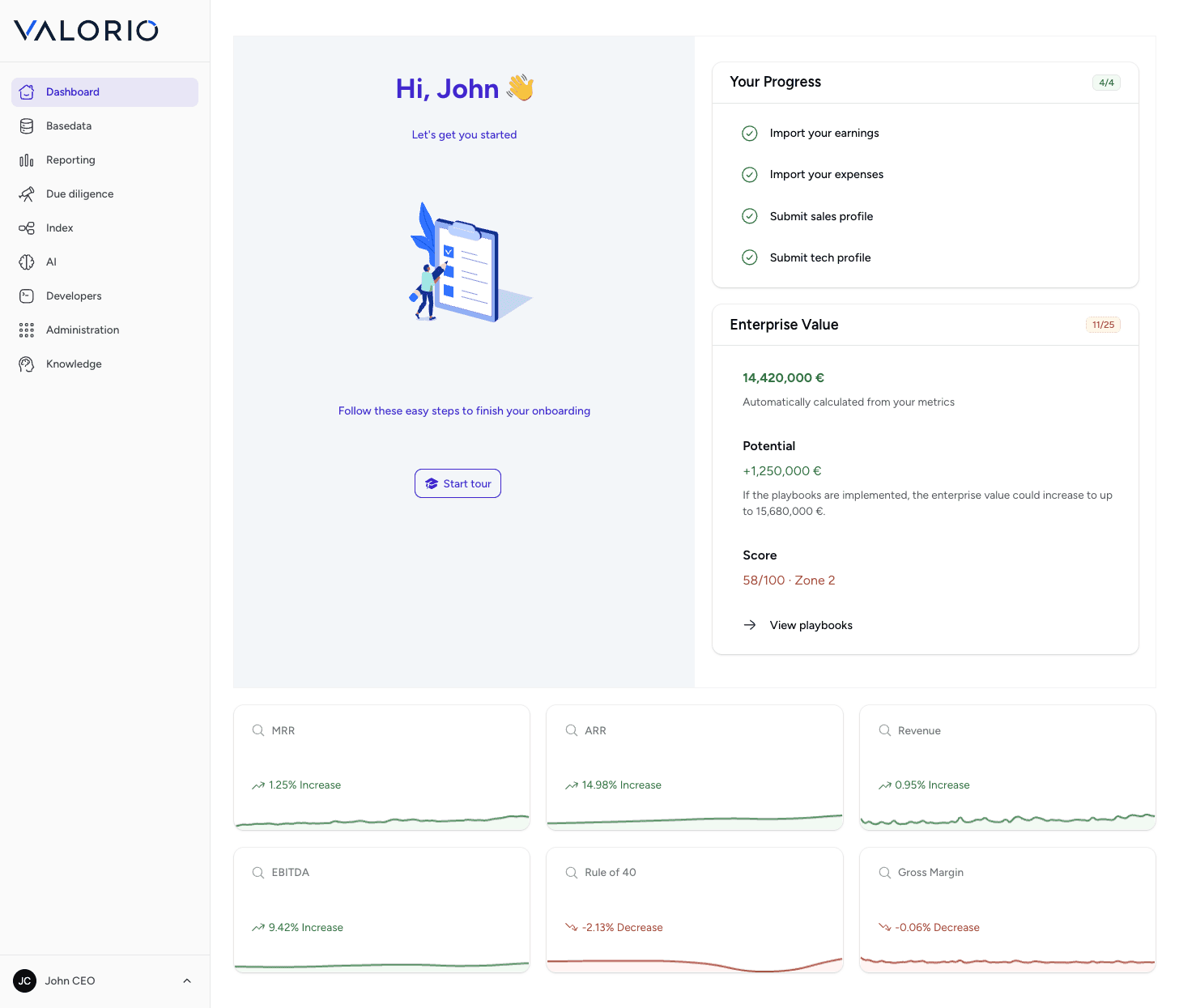
How Enterprise Value is calculated
Enterprise Value is your Qualified ARR multiplied by a multiple. That multiple isn't pulled from a flat industry or size table — it comes from your Valuation Score, a 0–100 score computed across seven weighted dimensions of your own reported metrics, mapped to a multiple through three calibrated Landing Zones, then adjusted by a deal-specific Strategic Premium when one applies.
Nothing here is manual. Your latest Reporting numbers, retention metrics, and Sales/Tech Profile answers feed the score automatically — there's no "which multiple applies to me" step, and no industry to pick. VALORIO is SaaS-focused, so your ARR and score already capture what an industry classification would.
If earnings or expenses haven't been imported yet, or your data doesn't yet produce a usable ARR figure, the dashboard shows an explicit locked state instead of guessing. You'll never see a number that's silently based on incomplete data.
Qualified ARR: not every euro counts the same
Not every euro of ARR is worth the same to a buyer. If part of your revenue comes from reselling someone else's software rather than your own IP, that portion economically belongs, in part, to the actual IP owner — so VALORIO discounts it before using it anywhere in the valuation. The resold portion is credited in proportion to the gross margin you keep on it, relative to a 75% reference margin: keep close to that margin and it counts almost in full, keep less and it counts for less.
This only ever applies to revenue you've told VALORIO is resold, through two questions on your Sales Profile — how much of your ARR is your own IP versus resold, and what gross margin you keep on the resold portion. Until you answer, none of your existing ARR is discounted: VALORIO only gets more conservative once you've flagged a reseller portion, never before. And if you flag one without giving a margin, that portion counts for nothing until you do.
The Valuation Score: 100 points across seven dimensions
Your score is built almost entirely from data VALORIO already has:
- ARR size (up to 15 points) — banded on your Qualified ARR.
- Rule of 40 (up to 20 points) — your ARR growth rate plus EBITDA margin. The single most heavily weighted dimension, reflecting how strongly the market currently prices the balance between growth and profitability.
- EBITDA profitability (up to 10 points) — your latest EBITDA margin.
- Retention (up to 15 points) — Gross Revenue Retention (up to 10 points) plus Net Revenue Retention (up to 5 points), both from your ARR report.
- Gross margin (up to 10 points) — your latest gross margin.
- Own IP / product moat (up to 15 points) — how much of your product is owned IP versus resold or white-labeled third-party software, from your Tech Profile.
- Other quality & risk factors (up to 15 points) — customer concentration and quality, sales efficiency, and risk/defensibility. These are entered by your reviewing M&A advisor rather than derived automatically, since they're judgment calls no formula can make on their own.
A dimension VALORIO can't yet score — a profile question you haven't answered, or quality factors your advisor hasn't assessed yet — contributes its most conservative value: zero points. Your score only ever goes up as real answers come in, never down because of a guess.
From score to multiple: Landing Zones
Your Valuation Score places you in one of three Landing Zones, each mapping a score range to a multiple range applied to your Qualified ARR. Your exact multiple is interpolated within whichever zone your score falls in, so two nearby scores in the same zone land on correspondingly close multiples rather than jumping in steps.
- Zone 1 — score 0–39 → 0.5×–2.5× Qualified ARR
- Zone 2 — score 40–69 → 2.6×–4.5× Qualified ARR
- Zone 3 — score 70–100 → 4.6×–10.0× Qualified ARR
These ranges aren't fixed in code — VALORIO's team maintains them against real, recent private SaaS transactions and current market conditions, revisiting them periodically as the market moves. If comparable deals close at different multiples than they used to, your zone's range moves with them the next time your dashboard recomputes — no product release required.
Strategic Premium
On top of the zone multiple, your engagement's M&A advisor can apply a Strategic Premium for deal-specific dynamics no score dimension captures — multiple competing buyers, unusually strong strategic fit, or similar circumstances. It defaults to 1.0× (no adjustment), and any premium above that requires the advisor to document why.
Enterprise Value here is an indicative estimate for internal planning, not a certified valuation under a standard like IDW S1. Treat it as a live, directional number to work with — and bring in a qualified appraiser before relying on it for an actual transaction.
Potential: what's still on the table
Potential is the additional Enterprise Value you could realistically add by implementing your still-open playbooks. Every playbook targets exactly one dimension of the Valuation Score and states how many points it would add there. VALORIO converts those points into euros by recomputing your Enterprise Value at the higher score and taking the difference — so a playbook is worth more the closer it moves you toward a higher Landing Zone.
Potential is deliberately bounded, so it can never balloon as playbooks pile up:
- A dimension can't gain more points than it has left. If retention already scores 10 of 15, no set of playbooks can promise more than 5 there.
- Even then, the claims on one dimension count for at most a third of that dimension's maximum — a realistic gain within about a year, not a best case.
- Across all dimensions, Potential never adds up to more than 8 score points in total. If your playbooks claim more, every dimension is scaled back proportionally.
- ARR size can't be targeted by a playbook — a company doesn't get bigger on paper by writing something down.
Only playbooks that are still Open, Self-reported, or Returned count. The moment a playbook gets approved (more on that below), it stops counting toward Potential — the assumption being that an approved improvement is already working its way into your actual reported numbers, and therefore into your live Valuation Score, on the next Reporting refresh. Counting it in both places would double-count it.
How playbooks are created
A playbook is a specific, gradable recommendation for increasing your Enterprise Value — never a generic "best practices before you sell" checklist item. VALORIO doesn't generate a pile of playbooks on its own: a person — your M&A advisor or a workspace admin — turns a finding into a playbook, and there's at most one playbook per finding. Because it starts from a finding, every playbook carries that finding's evidence trail, so you can always trace a recommendation back to the specific data point that triggered it.
Here is exactly how it works:
- 1Findings appear. VALORIO's analysis — on a schedule or when you start one — reads your reports as well as your answered Sales and Tech Profile questions, and records what's worth a second look as findings with a severity and evidence.
- 2Open the finding you want to act on under Due diligence → Findings, and click Acknowledge. If you have permission to create playbooks, a "Create playbook" panel slides open. (Without that permission, Acknowledge simply marks the finding as seen.) A finding that already has a playbook shows a link to it instead.
- 3Describe the playbook: a short, specific title (for example "Reduce customer concentration in the top three accounts"), a description of the issue and the concrete action, and a category.
- 4Pick the Valuation Score dimension it moves and the number of points it would add. The form only offers dimensions that still have room, and points must be greater than zero and within what that dimension can still gain.
- 5Optional: click "Draft with AI" in the footer of the panel. The AI proposes a title, description, category, dimension and points based only on that one finding and on the dimensions with room left. If the finding doesn't support a genuine value-creation action, it says so instead of inventing filler. Nothing is saved automatically: you review and edit the draft like any other input. If you close the panel while the AI is still working, the draft is kept for a couple of hours and is there when you reopen it.
- 6Save. The playbook is created as Open, linked to its finding, and the finding is marked Acknowledged. Playbooks are written in your workspace's own language.
- 7If a finding needs no action, use Dismiss instead — no playbook is created and the finding stays out of the way.
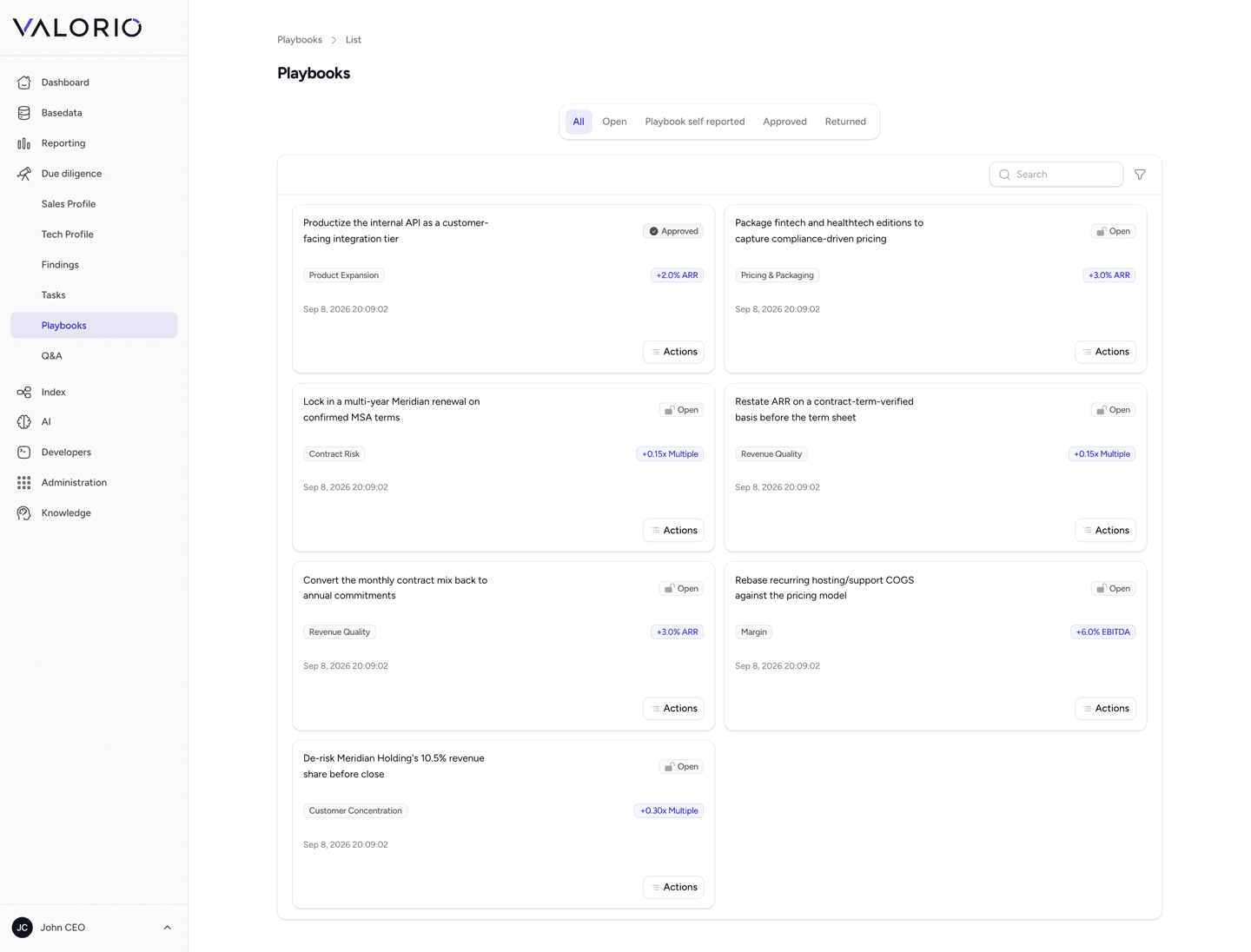
Tracking and completing a playbook
A playbook moves through a simple lifecycle from created to counted:
- 1Open — created from a finding, nothing done yet.
- 2Self-reported — you or anyone on your team marks it implemented, optionally attaching a short note on what was done.
- 3Approved — a reviewer (an M&A advisor or another seller-side team member — including the person who created the playbook) checks the claim against the playbook's citation and signs off. Only this step moves your playbook tracker forward, drops the playbook out of Potential, and resolves the finding it came from.
- 4Returned — instead of approving, a reviewer can send it back with a note asking for more before it counts. A returned playbook isn't deleted, and can be resubmitted once the concern is addressed.
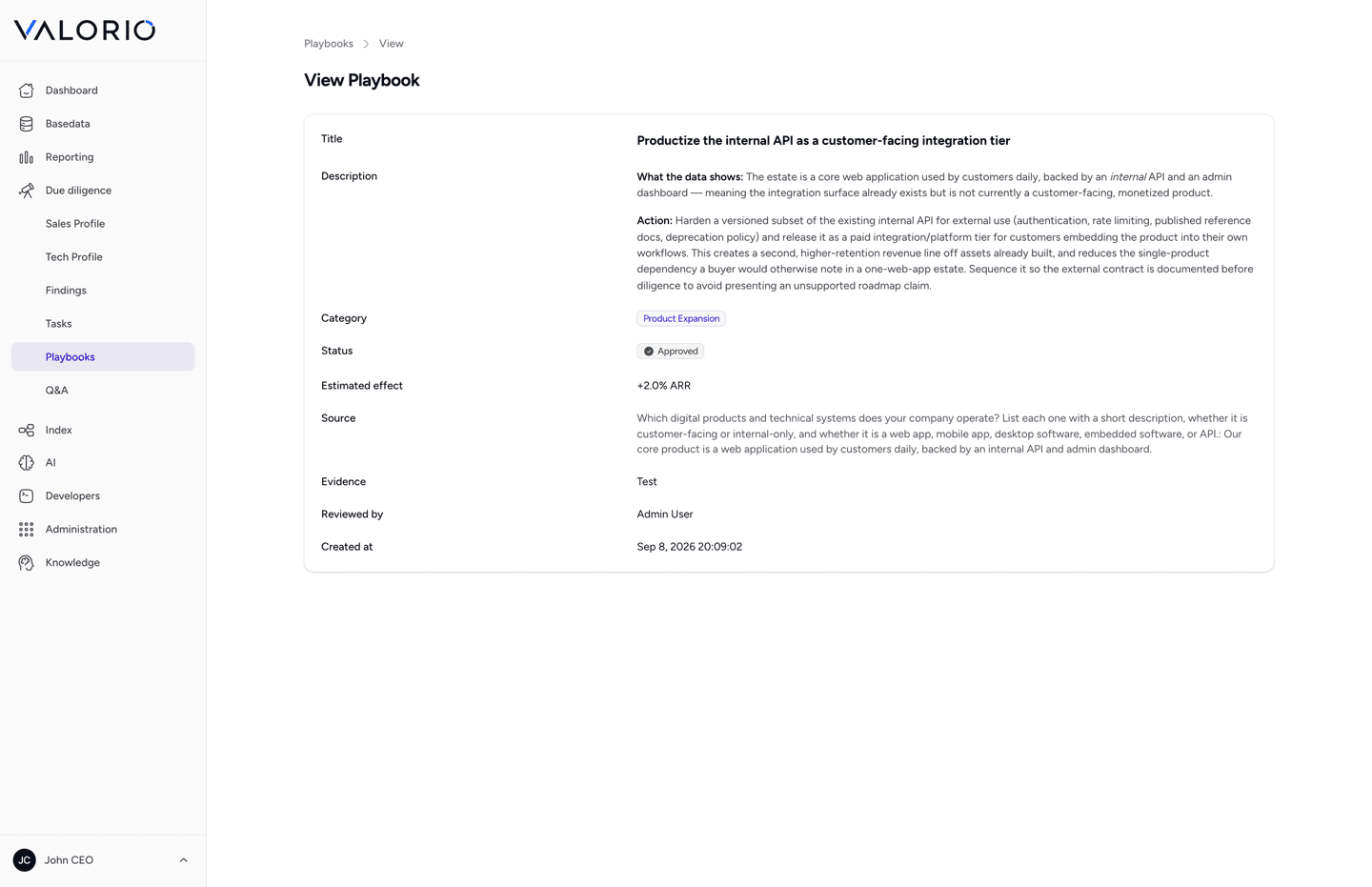
Nothing counts until a human explicitly approves it — a self-reported claim on its own never moves the tracker or the valuation, the same discipline VALORIO already applies to buyer-facing Q&A answers. VALORIO is SaaS-focused today, so there's no industry to select — everything an industry classification would normally capture is already folded into your ARR size, retention, and margin scoring.